Showing posts with label M Codes. Show all posts

CNC Machine Codes, Terms and Definitions

List of CNC Machine Codes, Terms and Definitions. Some of the codes, terms and definitions might be difference between manufactures for difference type of machine and machine controller.

A-axis = Capability of machining tools moving in circular motion around x-axis

B-axis = Capability of machining tools moving in circular motion around y-axis

C-axis = Capability of machining tools moving in circular motion around z-axis

X-axis = Capability of machine tools moving in the x-axis direction
Y-axis = Capability of machine tools moving in the y-axis direction
Z-axis = Capability of machine tools moving in the z-axis direction
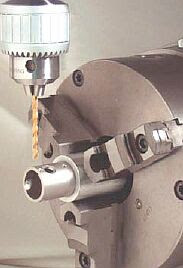
CNC machine codes, terms and definitions

D code = Tool diameter offset number
E code = Selection of work coordinate system. Equivalent to G54 to G59
F code = Feedrate
G code = A CNC program code that determines the type of operation to perform

H code = Tool length offset number
I code = Absolute center of arc in x-axis
J code = Absolute center of arc in y-axis
K code = Absolute center of arc in z-axis
L code = The number of repetition of a cycle
M code = The program code that control overall machine function
N code = Block number
O code = The program number allows you to identify your program with a certain number

P code = Parameter
Q code = Depth of cut parameter in canned drilling cycles
R code = Represent the radius, a return point or a general parameter
S code = Spindle speed
T code = Tool number
U code = Relative axis parallel to x-axis
V code = Relative axis parallel to y-axis
W code = Relative axis parallel to z-axis
X code = Absolute machine tool position on x-axis
Y code = Absolute machine tool position on y-axis
Z code = Absolute machine tool position on z-axis

Lathe Machine M Codes

The CNC Lathe Machine M codes

M00 Stop for operator
M01 Optional stop for operator
M02 Restart program
M03 Spindle ON CW
M04 Spindle ON CCW
M05 Spindle OFF
M07 Mist coolant ON
M08 Flood coolant ON
M09 Coolant OFF
M10 Clamp ON
M11 Clamp OFF
M13 Cutoff
M16 Chuck ID selection
M18 Chuck OD selection
M22 Extend part chute
M23 Retract part chute
M29 Set trap for G84
M32 Tailstock quill forward (out)
M33 Tailstock quill retract (in)
M34 Part catch forward
M35 Part catch retract
M41 Select spindle #1
M42 Select spindle #2
M46 Door open
M47 Door close
M50 C axis disable
M51 C axis enable
M91 Move to minus home
M92 Move to plus home
M93 Release motor power
M94 Turn ON input X
M95 Turn OFF input X
M98 Call subprogram
M99 Return from subprogram
M100 Wait for input to open
M101 Wait for input to close
M102 Restart program
M103 Programmed action timer
M104 Cancel programmed action timer
M105 Move minus to switch
M106 Move plus to switch
M107 Output BCD tool number
M108 Enable override control
M109 Disable override control
M115 Protected probing move
M116 Protected probing move
M120 Open data file (overwrite existing file)
M121 Open data file (append to existing file)
M122 Record position(s) and/or comment in the data field
M123 Record value and/or comment in data field
M125 Protected probing move
M126 Protected probing move

Milling M Codes Definitions

M codes use to control the overall machine and use to perform specific action in CNC programs such as to start & stop the machine, turn ON the spindle, turn coolant ON/OFF and etc. Most of the M codes have default function but can be customized with the use of macro files including the predefined M codes except M02, M06 & M25.

These are some of default M codes used on most CNC Milling Machines types. The M codes are user customizable, the user can edit, change, modify, add, delete or customize base on the application and definition.

M00 = Stop for operator
M01 = Optional stop for operator
M02 = Restart program
M03 = Spindle ON CW
M04 = Spindle ON CCW
M05 = Spindle OFF
M06 = Start tool change
M07 = Mist coolant ON
M08 = Flood coolant ON
M09 = Coolant OFF
M10 = Clamp ON
M11 = Clamp OFF
M14 = Swing arm pot up
M15 = Unclamp tool (air ON)
M16 = Unclamp tool (air OFF)
M18 = Home tool changer
M19 = Orient spindle
M20 = Pickup tool
M21 = Move head up
M22 = Move head to ATC level
M23 = Rotate carousel
M24 = Start too put back
M25 = Move to Z home
M26 = Set axis home
M39 = Air drill
M50 = Index tool plus
M51 = Index tool minus
M60 = Probing macro
M80 = Carousel in
M81 = Carousel out
M91 = Move to minus home
M92 = Move to plus home
M93 = Release motor power
M94 = Turn ON input X
M95 = Turn OFF input X
M98 = Call subprogram
M99 = Return from subprogram
M100 = Wait for input to open
M101 = Wait for input to close
M102 = Restart program
M103 = Programmed action timer
M104 = Cancel programmed action timer
M105 = Move minus to switch
M106 = Move plus to switch
M107 = Output BCD tool number
M108 = Enable override control
M109 = Disable override control
M115 = Protected probing move
M116 = Protected probing move
M120 = Open data file (overwrite existing file)
M121 = Open data file (append to existing file)
M122 = Record position(s) and/or comment in the data field
M123 = Record value and/or comment in data field
M125 = Protected probing move
M126 = Protected probing move